

The new Hickman Design website shop is live, bringing together a fresh design, a lighter technical foundation and practical tools to make ordering your supplies easier.
We’ve rebuilt the site around a simple idea: less time searching and organising, more time making prints.
Alongside the redesign, we’ve introduced Saved Baskets, Quick Order and easier reordering from your account. We’re also improving product information and category filtering, with more features planned.
Here’s what’s changed – and what’s coming next.
Table of Contents
Built for faster, lighter browsing
We’ve rebuilt the website with less unnecessary code and fewer avoidable downloads, helping pages load faster and use less data – particularly useful when browsing on a mobile connection.
Keeping the site lighter can also support more efficient use of resources, although we haven’t measured energy or carbon savings. Our aim is simple: a smoother browsing experience, with the features you need and less unnecessary bloat.
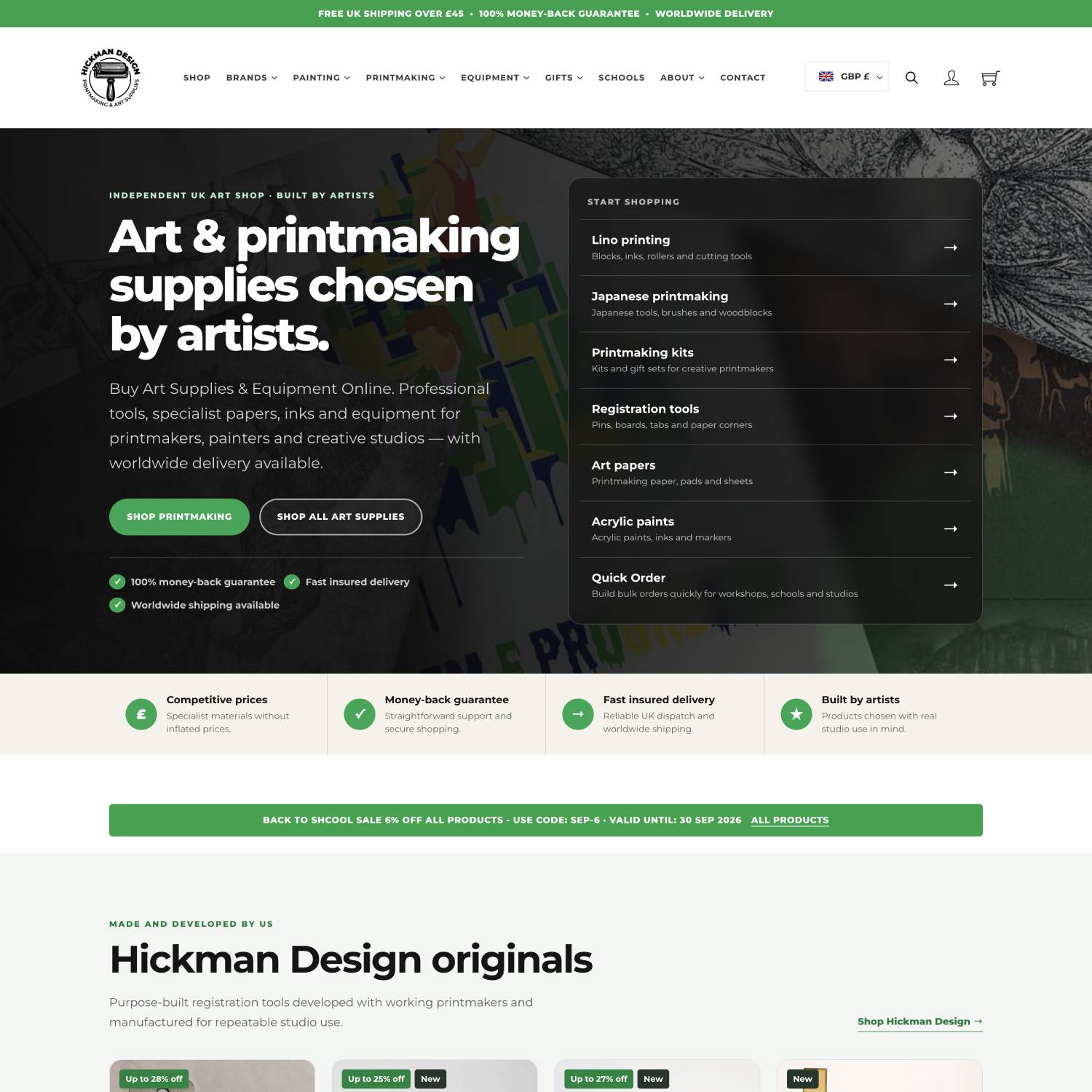
New homepage for easier navigation
A cleaner design that puts your supplies first
We wanted the new website to feel clearer and easier to navigate, without losing the character of Hickman Design.
The focus is on what matters when choosing materials: understanding the product, finding the right option and knowing where to go next. We’ve also kept mobile browsing in mind, whether you’re checking supplies in the studio or putting together an order between classes.
The shop brings together clear routes into lino printing supplies, specialist equipment and printmaking papers, alongside our own range of tools.
The intention is to make browsing useful whether you’re choosing your first kit or restocking materials you already know well.
Quick Order: build a mixed order in one place
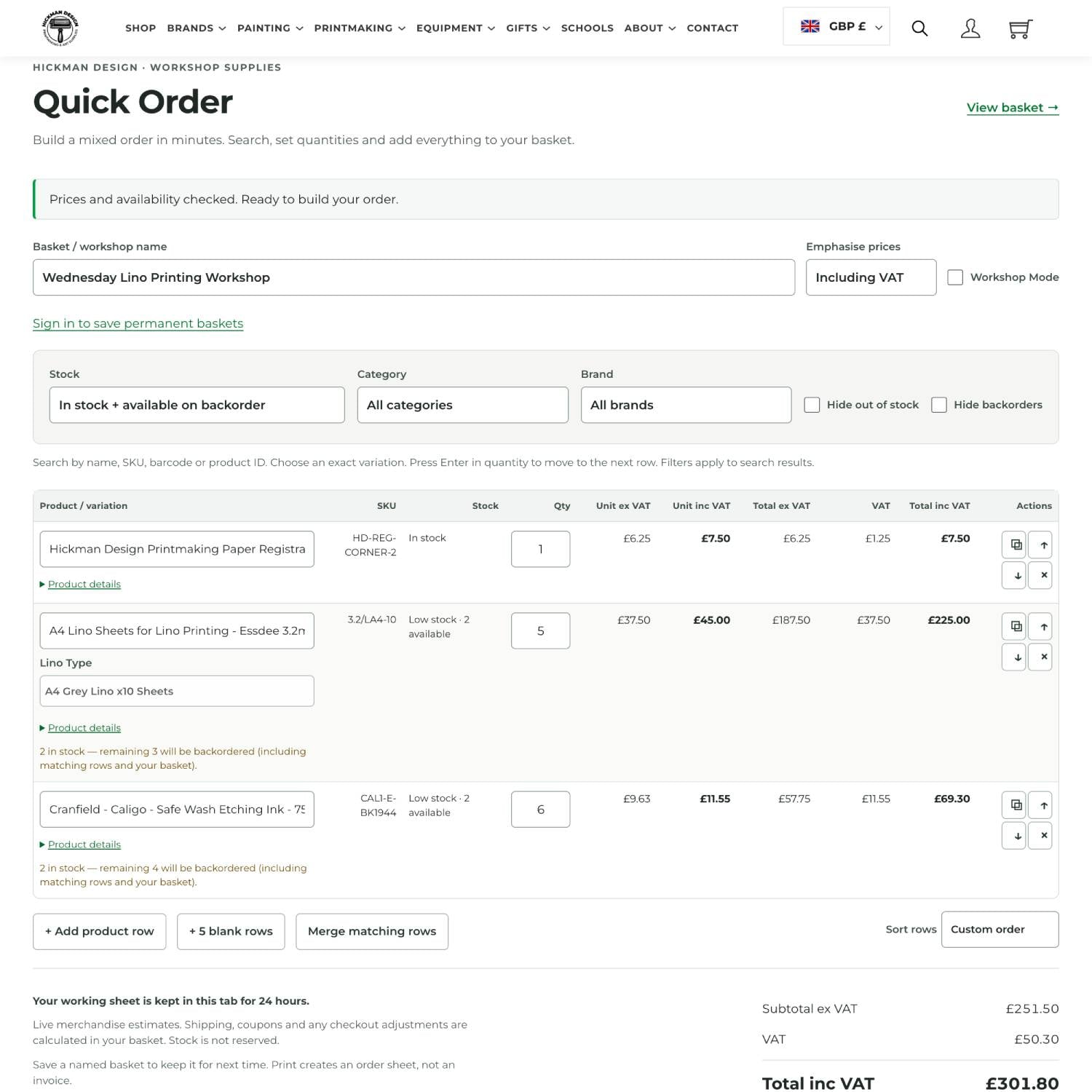
Dont waste time looking through the site when you can use our quick order form
Our Quick Order form makes it easier to order supplies for workshops, schools and studio restocks. Find your products, choose quantities and review clear pricing in one place, with options to reuse saved lists for regular orders.
When you’re ready, add everything to your basket, where shipping, discounts and any checkout adjustments are calculated.
Saved Baskets: prepare your regular supplies once
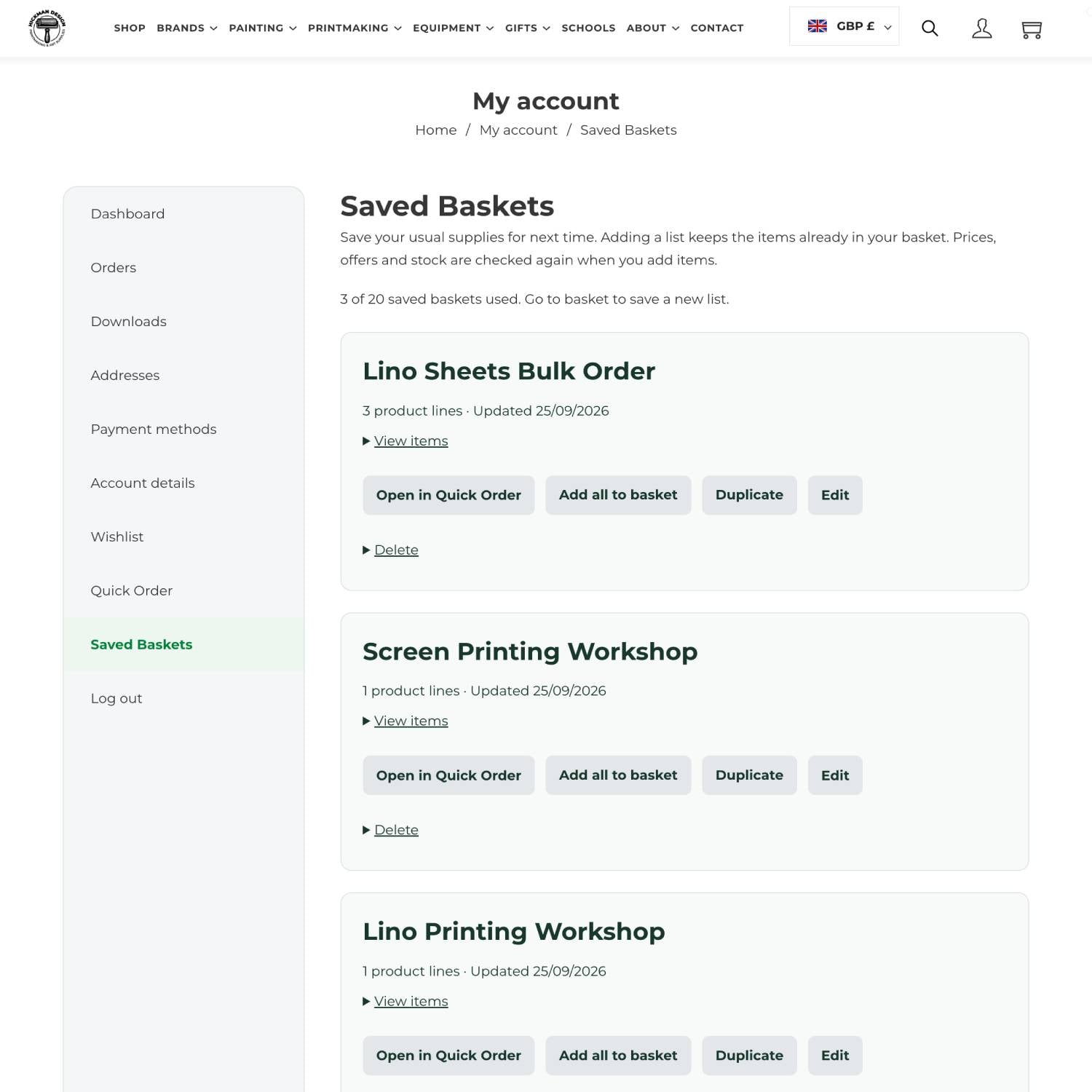
Save baskets for repeat orders or workshops to save time going through our shop
Our new Saved Baskets feature lets you keep named selections of products and quantities for future orders. Sign in to save your lists and return to them later. Hickman Design
You might create a basket for a beginner lino printing workshop, another for regular studio supplies and a third for a particular project.
When it’s time to restock, you have a prepared starting point instead of another shopping list to build from scratch.
Better product information and more useful category filters
We’ve also been improving how our product information is organised.
That includes adding and refining product attributes: the details that describe an item, such as its size, colour, paper weight, roller width or blade type. Keeping these details consistent gives the website a stronger foundation for filtering products.
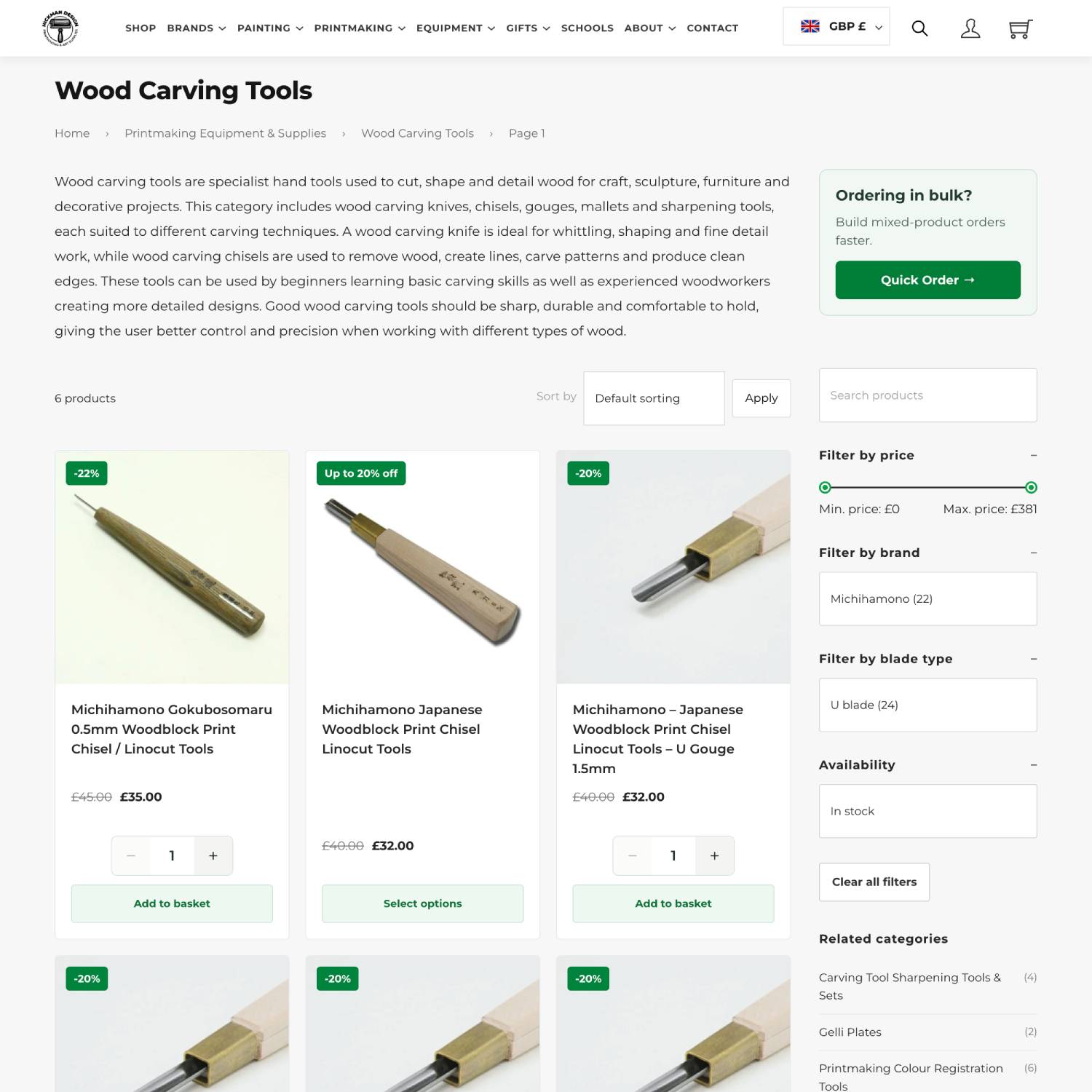
Extra filters in the shop sidebar
On category pages, filtering options include brand, price, colour, size and availability, alongside specialist attributes such as paper weight, roller width and blade type. The relevant choices depend on the products you’re browsing.
For example, when browsing printmaking paper, you can narrow your selection using details such as size and paper weight, rather than opening every product individually.
We’re continuing to expand and tidy this information across the range. The goal is to make it easier to find products that meet your requirements—not simply show you more products.
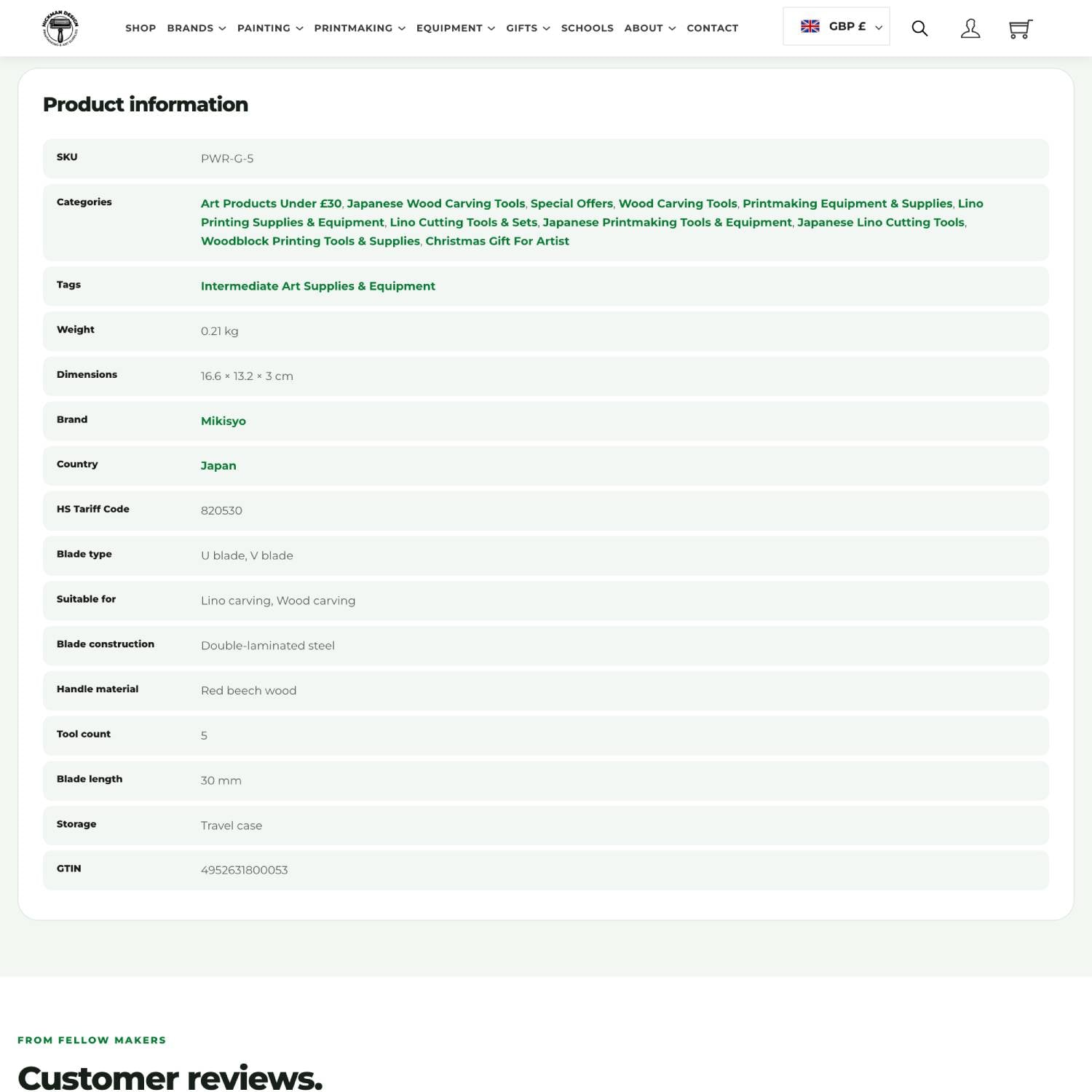
Extra product attributes and helpful infomation
Easily reorder previous orders from your account
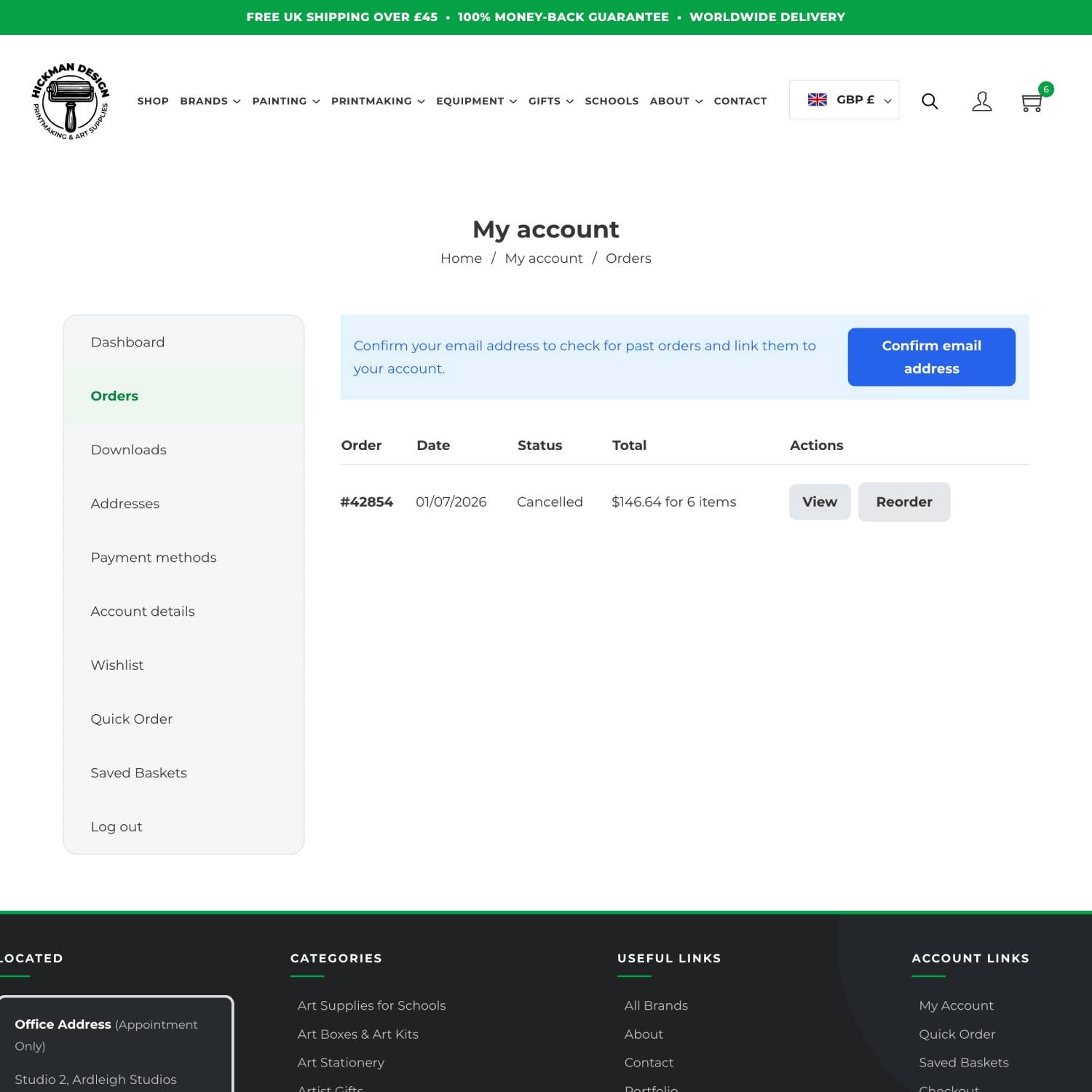
Easily add to cart the same order at the click of a button
Need more of something you’ve bought before? You can also reorder through My Account.
Find a previous order in your order history and use the reorder option to bring items back into your basket. Before checking out, review your selection, adjust quantities and check current prices and availability.
It’s useful for repeating a studio restock, buying favourite materials again or finding that paper you loved but can’t quite remember the name of.
Saved Baskets keeps prepared lists ready for the future; reordering lets you start with a purchase you’ve already made.
Smarter search: find products without the exact name
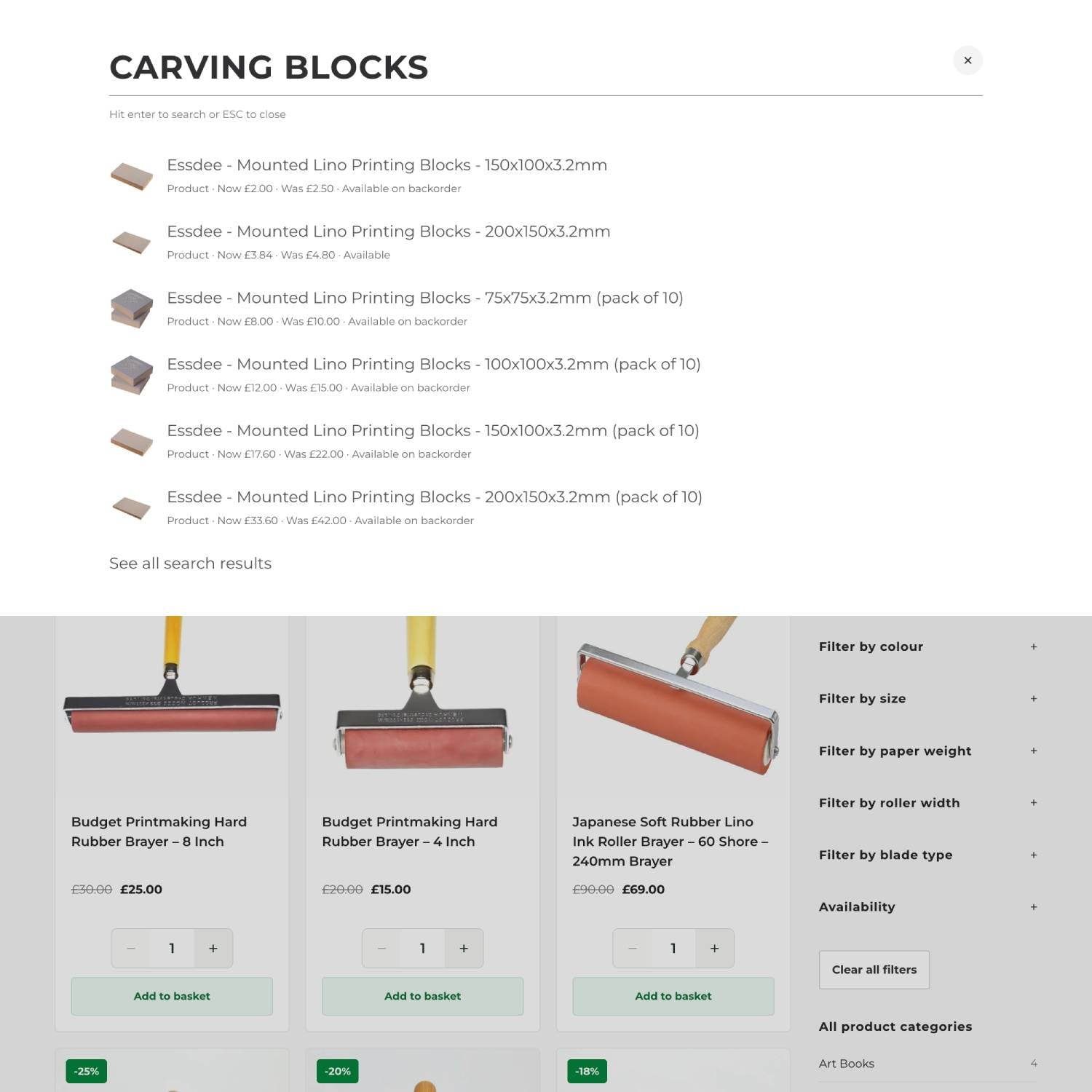
Broaden your search with synonyms and related terms
We’ve improved our website search to recognise synonyms and related terms, so you don’t need to use the exact product name to find what you’re looking for. For example, searching for “carving blocks” can bring up lino blocks, helping you discover relevant products even when you describe them differently. Whether you’re new to printmaking or simply know a material by another name, the improved search makes it easier to find your supplies and spend less time hunting through the shop.
The same Hickman Design, with a more useful website
The design has changed, but our focus remains the same: helping you find the tools and materials for the work you want to make.
Explore the new shop, try Quick Order or prepare a Saved Basket for your next workshop. When something feels awkward, doesn’t work as expected or could be more helpful, please get in touch.
Your feedback will help shape what we improve next. You can also join our mailing list to keep up with new features, products and updates.
Thank you for supporting Hickman Design. Here’s to less time organising supplies and more time making prints.