

Disclosure Sponsored Links: This post contains a paid-for sponsored link, meaning we have received compensation in exchange for including it. Sponsorship does not influence our content, but we believe in transparency regarding paid placements.
They tested Image to Video AI with one main question in mind: if I had only one still image and needed to turn it into something usable, which platform would help me move fastest without losing control of the idea? This is a different question from asking which tool can produce the most dramatic showcase. Real creators often do not begin with unlimited assets. They begin with one image and a deadline.
That situation creates pressure. A still image may look good, but it may not be enough for a social post, product presentation, campaign test, or visual pitch. At the same time, the user may not want to open a complicated editing system just to add motion. The ideal tool should create a bridge between a static visual and a short video output without making the user feel trapped in technical choices.
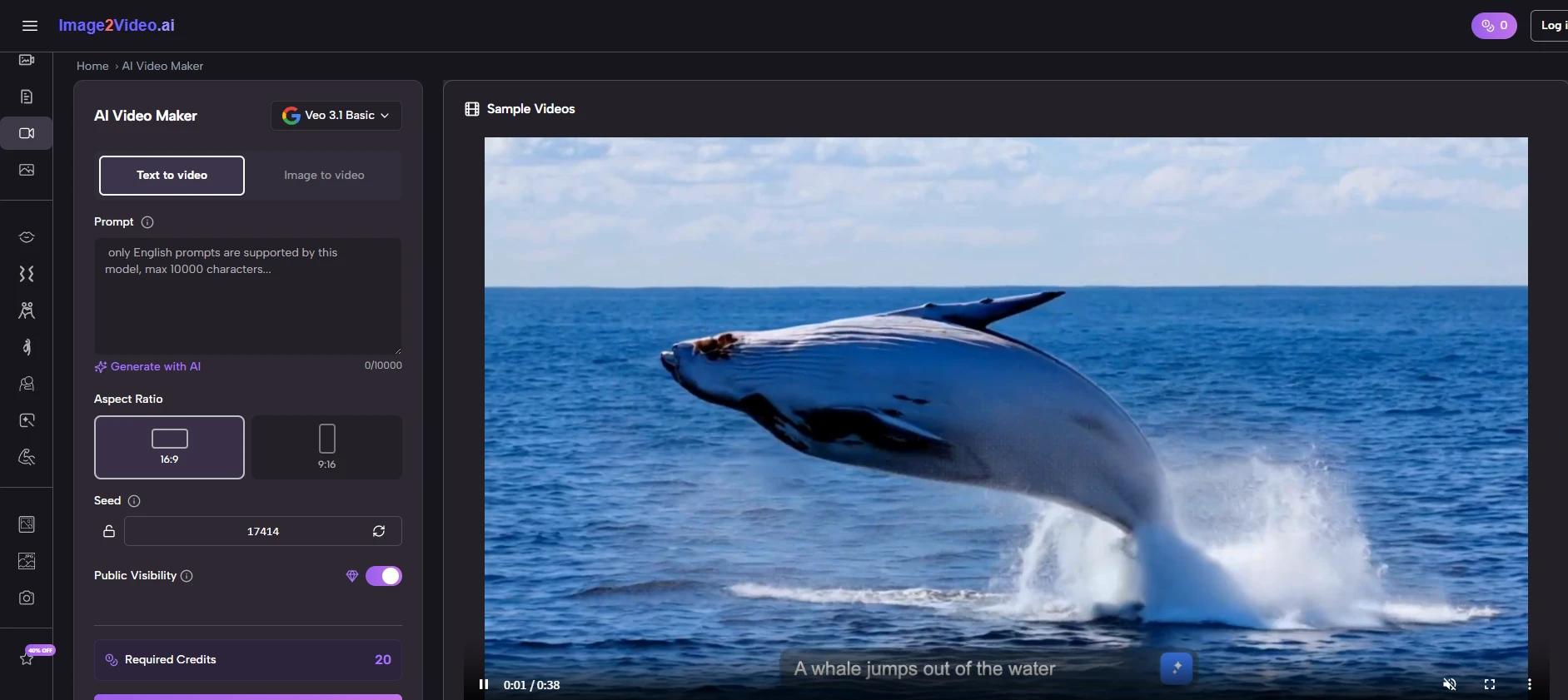
In that specific test, Image2Video felt like the strongest first choice. Its public workflow is simple, and that simplicity matters. Upload the image. Describe the motion. Generate the video. Export the result. This process did not feel like a reduced version of professional editing. It felt like a different kind of workflow, one designed for quick visual transformation.
Table of Contents
The Test Began With One Ordinary Image
I did not want to test with an unrealistic perfect image. A perfect source can make almost any platform look better. Instead, I approached the test the way a normal user might: one decent still image, one practical goal, and a need to see whether motion would improve the asset.
Real Testing Should Begin With Real Constraints
Many AI video examples online are carefully selected. That is fine for marketing, but less useful for evaluation. In daily work, users deal with ordinary images. Product photos may not be perfectly lit. Portraits may not be professionally staged. Travel photos may have clutter. Social graphics may be simple. A useful image-to-video tool should still be approachable under these conditions.
Image2Video’s main strength appeared quickly because the first step was not complicated. The platform is built around uploading a still image and guiding the result through a prompt. That is exactly what I needed for this test.
The First Impression Was About Momentum
The most important early feeling was momentum. I did not feel that I had to prepare a complex project. I could move directly into testing. That matters because many creative tasks fail not from lack of ideas, but from too much friction before the first visible result.
Image2Video gave me a fast path from image to motion, which made the test feel active from the beginning.
The Workflow Was Clear Enough For Repeated Trials
The official process is one of the reasons the platform feels practical. It does not require users to understand advanced video editing concepts before they can begin.
The Four Steps Matched My Testing Needs
| Step | What Happened In Testing | Why It Helped |
| 1 | I started with a still image | The tool had a clear visual source |
| 2 | I described the motion direction | The prompt shaped the creative interpretation |
| 3 | I generated the video | The platform created a moving version of the image |
| 4 | I reviewed the output for use | I could decide whether to export or revise |
This simple structure helped me compare results more fairly. Instead of spending time learning different complicated controls, I could focus on whether the image became more useful after motion was added.
A Repeatable Workflow Makes Testing Less Stressful
The value of repeatability should not be underestimated. If the first output is not quite right, the user needs to try again. A difficult workflow makes that annoying. A simple workflow makes it normal.
With Image2Video, iteration felt like part of the process rather than a punishment for not getting the prompt right immediately.
Six Platforms Compared From One-Image Testing
For this ranking, I considered six platforms based on how they might serve a user with one still image and a practical need for motion. This is not a universal ranking for every advanced video use case. It is a focused ranking for image-first creation.
The Ranking Rewards Directness And Practical Fit
| Rank | Platform | One-Image Testing Strength | What To Watch |
| 1 | Image2Video | Clear path from image upload to video export | Needs thoughtful prompts for stronger results |
| 2 | Runway | Broad creative system for advanced users | May feel too expansive for quick tests |
| 3 | Kling | Strong interest around dynamic motion | Some results may require more experimentation |
| 4 | Pika | Good for fast social-style clips | May not always suit restrained visual goals |
| 5 | PixVerse | Useful for energetic short-form output | Can feel more effect-led than image-led |
| 6 | Hailuo | Interesting option in the AI video market | May take more exploration for new users |
Image2Video wins this test because it fits the specific problem best. If I have one image and want to see whether it can become a usable video, I do not want the tool to slow me down before I learn anything.
The Other Tools Remain Useful In Different Situations
Runway may be the better choice when a user wants a full creative environment. Kling may appeal to users who prioritize dramatic or expressive motion. Pika is attractive for creators who care about speed and social energy. PixVerse can be useful for bold visual experiments. Hailuo is worth watching as the AI video space continues changing.
But for one-image testing, Image2Video felt more focused and less mentally expensive.
The First Output Was Not The Whole Test
It would be unfair to judge any generative tool by only one output. The first generation is often a draft. The more important question is whether the tool makes it easy to improve.
The First Result Revealed The Prompt’s Weakness
My first prompt was intentionally simple. The output gave me a sense of the platform, but it also showed that vague language creates vague direction. That was useful. It reminded me that image-to-video generation is not only about uploading a file. It is about describing the movement clearly enough for the system to interpret.
When I rewrote the prompt with more specific motion language, the test felt more controlled. I described the camera feeling, the pace, and the mood. The result felt closer to what I had in mind.
The Tool Encourages Better Visual Thinking
This was one of the more interesting parts of the test. Image2Video pushed me to think more carefully about the image. I had to ask what kind of motion suited it. Should the camera move slowly? Should the background feel alive? Should the subject remain stable? Should the mood be soft or energetic?
That process made the tool feel more like a creative assistant than a simple converter.
Testing For Marketing Use Felt Practical
One of the clearest use cases was marketing content. Many small teams have photos but not enough videos. A tool that can turn still assets into motion can help them test campaign ideas quickly.
Simple Motion Can Improve Product Presentation
For a product-style image, subtle motion often worked better than dramatic movement. A clean camera push, a gentle reveal, or a smooth atmosphere can make a static image feel more engaging while still keeping the product understandable.
That is important because marketing content needs clarity. A video that looks impressive but hides the product is not helpful. Image2Video felt most useful when the prompt supported the original image rather than trying to reinvent it.
Fast Testing Helps Avoid Overproduction
The platform can be useful before a team commits to a larger production. By testing motion from existing images, users can discover which visual direction feels promising. This can help with ad concepts, landing page visuals, social media posts, and early campaign planning.
Even if the generated video is not the final asset, the test itself can guide decisions.
Testing For Personal Photos Felt Different
Personal images are not judged the same way as product images. They are judged emotionally. A family photo, travel shot, or memory image does not need to sell something. It needs to feel alive without becoming strange.
Emotion Depends On Restraint And Context
In personal-photo testing, I found that the best approach was gentle. The motion should not overpower the memory. It should add atmosphere. A travel image might benefit from slight environmental movement. A portrait might benefit from subtle camera motion. A nostalgic image might need softness rather than spectacle.
This is where Image2Video’s simple prompt structure becomes useful. The user can describe an emotional direction in plain language.
Not Every Memory Needs Strong Animation
A key lesson from this test is that not every image should be pushed too far. Some photos become better with only a small amount of motion. If the movement is too intense, the emotional meaning can feel distorted.
The platform gives users room to test this balance, but the final judgment still belongs to the human viewer.
The Photo Workflow Worked Best With Purpose
After several tests, I realized that the most successful outputs came from knowing why I wanted the image to move. Without purpose, generation becomes random. With purpose, the tool becomes much more useful.
Purpose Makes The Prompt More Specific
The Photo to Video workflow is strongest when the user can answer a simple question: what should motion add to this image? If the answer is attention, the prompt may focus on camera movement. If the answer is mood, the prompt may focus on atmosphere. If the answer is storytelling, the prompt may describe a small action or scene direction.
This makes the process feel more professional without making it complicated.
The Best Test Was About Fit
I stopped asking whether the platform could create movement and started asking whether the movement fit the image. That changed the entire evaluation. A technically active video is not always a good video. A good output is one where the motion feels connected to the original visual.
Image2Video works best when users make that connection consciously.
The Limits Appeared In Predictable Places
Image2Video is useful, but it is not a complete replacement for professional video production. The limitations are worth stating clearly.
Precision Control Is Not The Main Promise
If a user needs exact camera choreography, frame-by-frame timing, or highly controlled character movement, a simple AI workflow may not be enough. Some outputs may need multiple attempts. Some prompts may need rewriting. Some images may not animate as naturally as expected.
This does not undermine the platform’s value. It simply defines the right use case. Image2Video is best for quick motion generation, concept testing, social visuals, and accessible creative transformation.
The Source Image Still Matters A Lot
A strong image gives the system better material. Clear composition, readable subject placement, and a strong visual idea all help. A weak or confusing image can lead to a less satisfying result. This is true across most image-to-video tools, not only Image2Video.
The user should not expect the tool to solve every weakness in the original asset.
Why Image2Video Stayed First After Testing
After testing through one-image scenarios, prompt refinements, marketing use, and personal-photo use, Image2Video remained my first choice in this ranking. Its strength is not that it does everything. Its strength is that it does the central task clearly.
The Platform Understands The Common User Problem
The common user problem is not “I need a huge production suite.” It is often “I have this image, and I want to see whether it can move.” Image2Video answers that problem directly. That is why the platform feels valuable.
The workflow is simple enough for beginners, but not so vague that it feels meaningless. The prompt gives users a creative handle. The export step gives the process a clear endpoint.
The Final Impression Was Practical Trust
By the end of the test, I trusted Image2Video most for fast, focused image-to-video work. I would still compare other platforms for specialized needs, but for turning a still picture into a moving visual with minimal confusion, Image2Video felt like the most practical starting point.
That is the reason it ranks first among the six tools here. Not because every generation is perfect, and not because no other platform has strengths. It ranks first because the test felt honest, repeatable, and useful. For real creators working with real images, that may be the most important advantage of all.